
To turn browser research into a project knowledge base, capture useful source content while it is open, assign it to a defined project, preserve the URL and important passages, and maintain a short current-state note. The result should support retrieval and decisions, not only storage.
The problem with browser research is rarely discovery. It is continuity. Useful sources remain in tabs, bookmarks, screenshots, messages, and separate AI chats until the project can no longer reconstruct why they mattered.
Define the project's knowledge boundary
Write the outcome before importing sources. A boundary such as “evidence needed to redesign activation for first-time users” is more useful than a folder called “product.”
The boundary determines what should be captured and what retrieval should ignore. It also helps collaborators understand whether a source belongs.
Create a short project overview with:
- The current objective.
- Important constraints.
- Decisions already made.
- Open questions.
- The types of evidence being collected.
Keep this overview concise. It provides orientation, while the source library holds the detail.
Replace the tab queue with deliberate capture
Tabs are temporary working memory. They are useful while comparing sources, but they are unreliable storage.
For each valuable source, save the article, page, selected passage, or highlight. Preserve the title, URL, capture date, and any note that explains its role. If a page is dynamic or authenticated, review the captured content to ensure the useful material was preserved.
Do not capture everything. Use one question: Could this source change a decision or improve an output in this project?
If the answer is no, close the tab.
Give sources useful roles
Folders and tags are optional, but source roles improve reasoning. Common roles include:
- Evidence.
- Customer language.
- Counterargument.
- Competitor example.
- Implementation reference.
- Inspiration.
- Decision record.
A source can serve more than one role. The point is to distinguish an official specification from a provocative opinion, even when both discuss the same topic.
Ask questions across the project
A knowledge base becomes useful when it supports questions that individual sources cannot answer.
Try:
- Which problems recur across independent sources?
- Where does the evidence conflict?
- What have we decided, and which sources informed the decision?
- Which claim has only one supporting source?
- What research gap prevents the next decision?
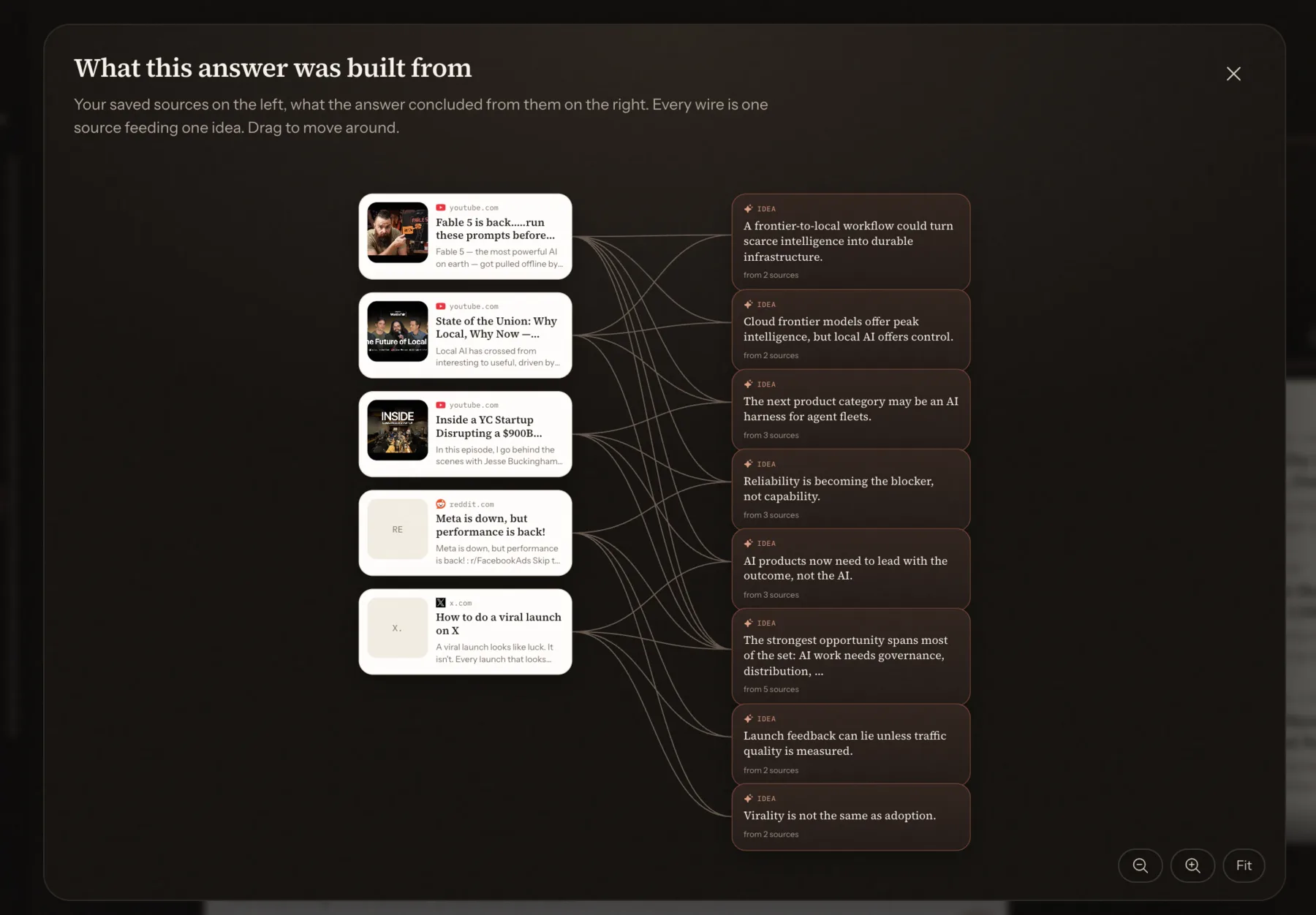
Answers should link back to the supporting sources. If the system cannot show the evidence, treat the result as a hypothesis rather than project knowledge.
Make the knowledge base available where work happens
If the source collection remains trapped in one browser interface, people will still paste summaries into writing and coding tools. A standard connector can make project retrieval available to compatible clients.
MCP allows focused servers to expose resources and tools. The official architecture keeps the host in control of the connection while the server provides specialized context.
Start with read access. A writing assistant may need to search and open sources without permission to change or delete the knowledge base.
Maintain decisions as well as sources
Research has more value when it explains what changed. When a decision is made, add a short record containing the choice, date, owner, evidence, and assumptions.
Later, an AI can answer not only “what did we save?” but “why did we choose this?” That is the difference between an archive and project memory.
Review active projects weekly. Remove duplicates, update the overview, and archive completed work. A clean boundary matters more than a complex taxonomy.
The resulting knowledge base is small enough to search, rich enough to support synthesis, and portable enough to help the next tool continue the project.