
You can stop re-pasting context into every AI chat by moving durable project knowledge out of the prompt and into a searchable project memory. The prompt should describe the current task. The memory should hold the reusable sources, decisions, examples, and constraints that future tasks may need.
This separation makes context easier to update and reduces the chance that each AI tool receives a different version of the project.
Why the master prompt eventually fails
A master prompt feels efficient at first. It contains the company description, audience, voice, constraints, examples, current plan, and perhaps several pages of research. You paste it into a new conversation and the assistant appears informed.
The system becomes fragile as the project changes. One copied version contains the old positioning. Another omits the customer objection discovered last week. A third includes a summary but not the interview passage behind it. Updating every copy becomes a hidden maintenance task.
Long prompts also compete with the current work for attention. The assistant has to identify which parts matter, even when most of the brief is unrelated to the request.
Separate instructions from knowledge
Use the prompt for instructions that apply now:
- The outcome you want.
- The format and constraints.
- The decision the assistant should help make.
- Which connected project it should search.
- How it should handle missing evidence.
Use project memory for information that should survive:
- Research articles and videos.
- Customer interviews and exact quotations.
- Product decisions and their rationale.
- Competitive examples.
- Previous deliverables worth reusing.
- Notes that explain why a source matters.
The prompt can then be short: Search the launch project, compare the three onboarding objections, and recommend which one the landing page should address first. Cite the supporting passages.
Build one reusable project context
Choose a project that repeatedly crosses between AI tools. Content production is a good example because research may happen in a browser, outlining in one assistant, drafting in another, and implementation in a coding agent.
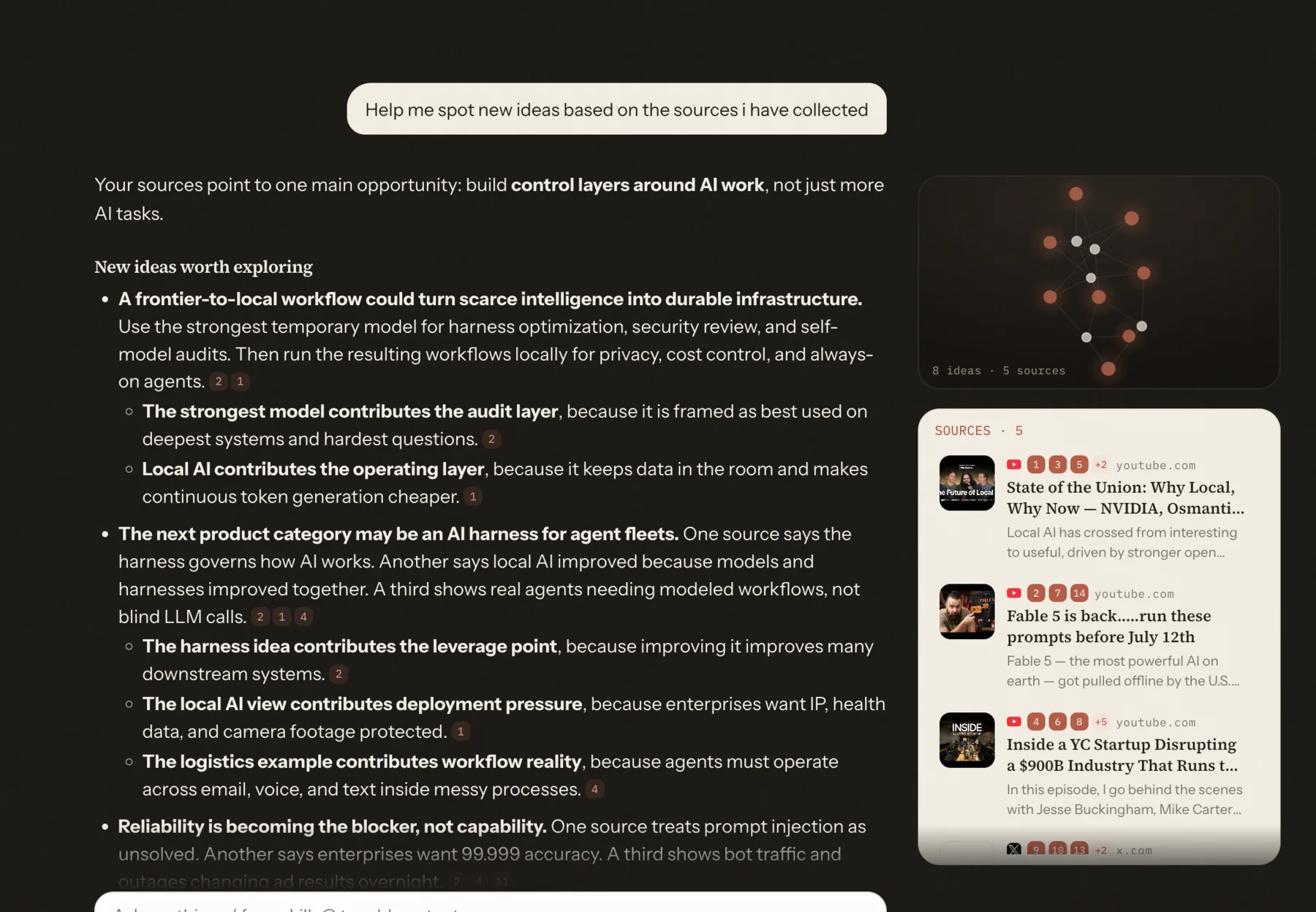
Create a project for that outcome and capture the useful material as you encounter it. Do not save every open tab. Save the sources you expect to influence a decision or output.
For each source, preserve the title, URL, content, and any useful highlight. A one-sentence note such as “strong explanation of switching costs” is often more valuable than a complicated tag system.
Retrieve context instead of copying it
When a compatible AI tool can search the project, it can retrieve context at the moment of need. The full library does not have to enter every conversation.
A reliable retrieval workflow has three steps:
- Search the project using the actual question.
- Open the most relevant sources or passages.
- Produce the answer while naming the evidence used.
If you use several compatible clients, an MCP connection can expose the same project to each one. The MCP architecture supports focused servers that provide context and tools while the host controls the conversation and permissions.
Keep a small current-state document
Project memory should hold the research, but it still helps to maintain a concise current-state document. This is not a giant prompt. It is a short record of the current objective, decided constraints, unresolved questions, and next milestone.
Update it when the project meaningfully changes. Link important decisions back to the sources that informed them. The current-state document gives the assistant orientation, while retrieval supplies the supporting detail.
A migration checklist
You do not need to reorganize everything before changing the workflow.
- Pick one recurring project.
- Move the latest brief into a short current-state note.
- Capture the five to ten sources that are repeatedly pasted.
- Connect the project to one AI tool.
- Test a task that previously required a long setup prompt.
- Add a second tool only after retrieval works reliably.
- Delete or archive old master prompts so they do not keep circulating.
The result is not zero context. It is context with a home. The active prompt stays focused, and the project knowledge remains reusable wherever the next task happens.