
To connect a knowledge base to an AI tool with MCP, choose a server that exposes the knowledge you need, connect it through the client's MCP settings, approve the smallest useful scope, and test retrieval with a source you can verify. The connection is successful only when the client can find the right material and show where it came from.
This guide focuses on the architecture and validation steps that remain useful across compatible clients. Individual setup screens and plan requirements can change, so always confirm the current instructions for the client you use.
Prepare the knowledge base before connecting it
Do not begin by giving an assistant access to a disorganized archive. Retrieval quality depends on what has been saved and how clearly its scope is defined.
Start with one project. Give it a concrete outcome, then add the sources and notes that directly affect that work. Keep the original URLs and publication context whenever possible. Remove obvious duplicates and material that no longer represents the project.
The knowledge base should answer three questions:
- Which project does this item belong to?
- What is the original source?
- Why might this source matter later?
You do not need perfect tags. You do need a boundary that prevents a product launch question from retrieving unrelated personal notes.
Understand what the server exposes
An MCP server can expose resources, tools, and prompts. The MCP server specification explains the different control models for these primitives.
For a knowledge base, common operations include:
- List available projects or collections.
- Search within an approved project.
- Open a saved source or passage.
- Read a project overview.
- Save a note or public URL, if write access is enabled.
Review the tool list before approving the connection. A server that only needs to support research questions should not require broad write access by default.
Connect the remote MCP endpoint
The exact interface depends on the AI client, but a remote connection generally needs a server URL and an authorization step.
For SauceTab, the hosted endpoint and current client-specific instructions are maintained in the MCP setup guide. The authorization screen lets the user choose a workspace and, where supported, limit the connection to read-only access.
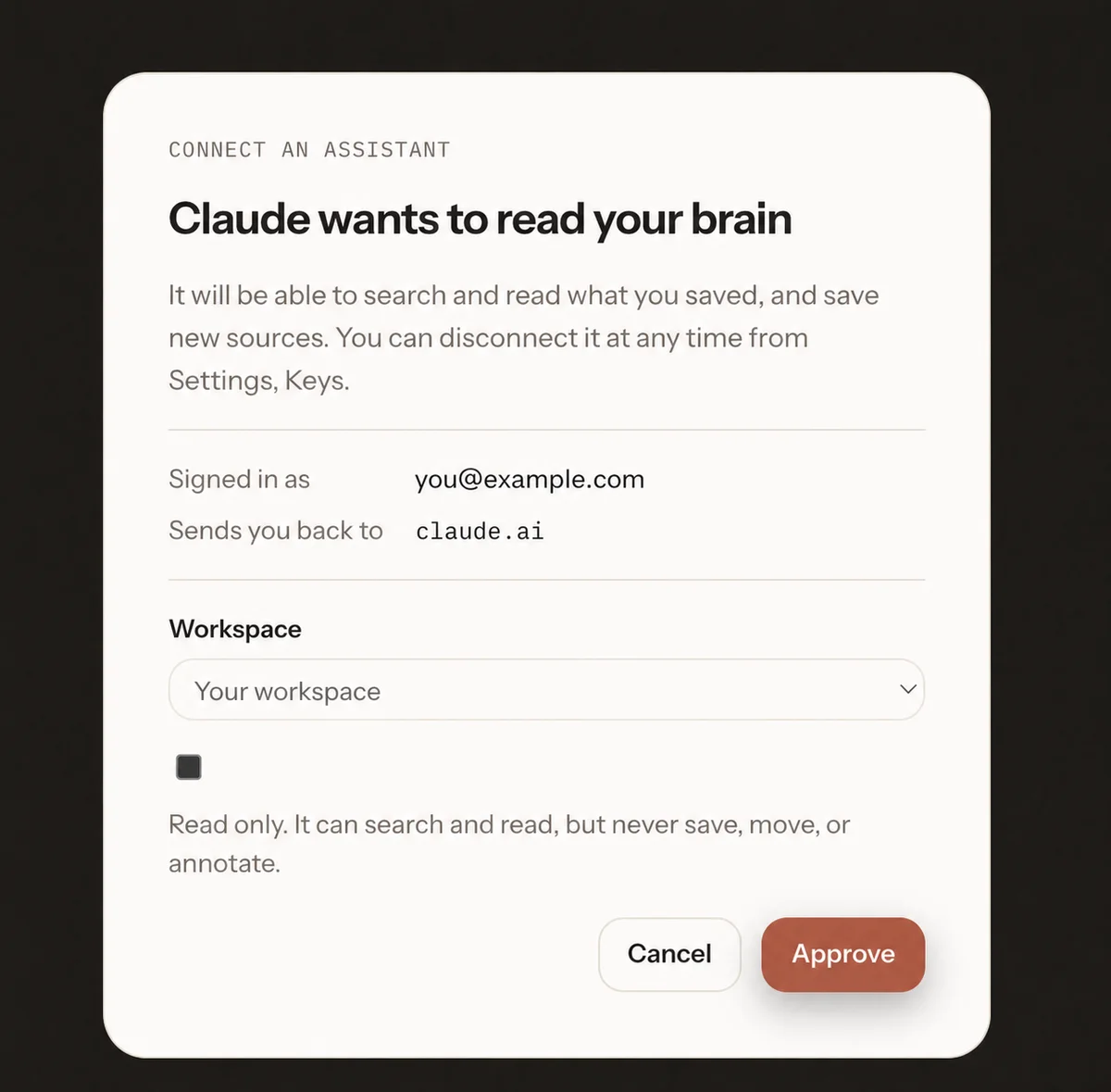
When connecting any knowledge server:
- Open the client's connector or MCP settings.
- Add the server using its official URL or installation method.
- Authenticate directly with the service.
- Review the workspace and requested permissions.
- Approve only the scope needed for the current workflow.
- Confirm that the new tools are visible in the client.
Avoid copying access tokens into prompts or untrusted configuration snippets. Use the authorization flow provided by the server and client.
Test retrieval with a known source
Do not validate the connection with a vague question such as “What do I know about marketing?” Choose a source you recently saved and ask for something distinctive inside it.
A useful test sequence is:
List the research projects available through this connection.Search the launch project for the interview that mentioned onboarding friction.Open the matching source and show the exact passage.Explain what the passage supports and what it does not prove.
This checks discovery, search, retrieval, and evidence handling separately. If the final answer is plausible but cannot identify the source, the workflow is not yet reliable.
Give the AI a retrieval policy
A connected knowledge base does not guarantee that the model will use it on every relevant turn. Put a small retrieval policy in the project instructions or repeat it for important tasks.
For example:
Search the connected project before answering questions about our customers, competitors, or previous decisions. Cite the saved sources you rely on. If the project does not contain enough evidence, say what is missing.
This makes the intended boundary explicit. It also helps distinguish project evidence from the model's general knowledge.
Maintain the connection over time
Review connected clients periodically. Revoke tools you no longer use, remove stale sources, and update the project overview when the objective changes. If a collaborator leaves, remove their access rather than assuming the client connection will expire on its own.
The best MCP knowledge base is not the one with the most tools. It is the one that reliably brings the smallest relevant set of source-backed context into the current task.